

Communication tools in a camera-free frame
Languages and accents; options depend on mode and plan.
Lightweight glasses for everyday wear.
Use per charge; actual runtime varies.
Designed to capture nearby speech.

Languages and accents; options depend on mode and plan.
Lightweight glasses for everyday wear.
Use per charge; actual runtime varies.
Designed to capture nearby speech.
Explore translation, captions and app-based tools. A compatible smartphone is required; available features and language pairs depend on the mode and plan.

Use a supported two-way translation mode in the LEION app. Captions appear in the glasses; supported voice output is handled through the connected phone. Available language pairs and output options depend on the current mode and plan.

Four microphones pick up nearby speech, and the paired LEION app presents translated captions in the display. Clear speech, a nearby speaker and manageable background noise help improve the experience.
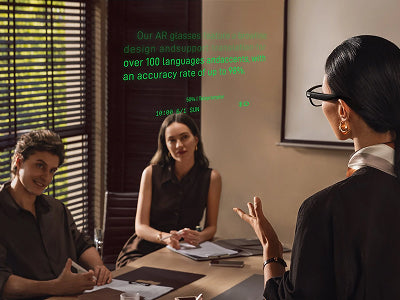
Upload a script in the LEION app and follow the text in your display while speaking. Prepare and review the script in advance for pacing that works for you.
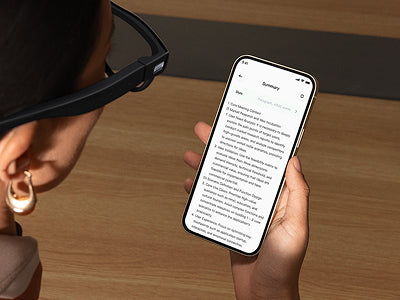
Use the app to organize recognized speech into source-language meeting notes. Review generated notes before relying on them for decisions or formal records.

Ask about a term or topic and bring a supported AI response into view through the connected LEION experience. AI responses can be inaccurate; verify important information independently.
Use supported translation and caption features when asking questions or following nearby speech while travelling. Choose a language pair in the connected LEION app, and check the current product page for available modes and plan requirements.



HEY2 uses the connected LEION app for supported conversation features. Before use, review our Data Security Statement and Privacy Policy for information about processing, storage, sharing and the controls available to you.
